Archive for the ‘Blog Design’ Category

Who doesn’t want to improve their blog? The Blog Improvement Zone Meme.

Thursday, September 27th, 2007

Dane Morgan launched a The Blog Improvement Zone Meme. We are supposed to discuss how we plan to improve our blogs, point to five bloggers people who those things well and then tag them.

Not knowing how terrible I am at memes, Dane tagged me. I felt guilty when I saw Andy Beard had already fulfilled his tagging assignment; now I’m finally fulfilling my obligation to tag people.

Strangely enough, I share some of Andy’s; he talks about improving his blog theme layout. Needless to say, I have the same problems and more. The main reason for my crummy template that I decided to work on pillar content first, and blog layout later. I also initially overlooked social networking (probably because I am slightly anti-social?) Andy does that very well; I’m working on that- but I already blogged about some of my efforts.

Here are blog problems I’m thinking about I want to improve in October:

  1. Speed up Sidebars: My content seems to load fairly nicely. To maximize traffic and revenue, I need everything above the fold to load quickly. This includes content, navigation and ads. Unfortunately, my sidebars are often pathetically slow. This was partly due to Bumpzee which frequently bogged down. Other widgets often loaded slowly: I’ve moved all suspect slugs to the footer for now until I find a better solution.

    Who does this better than me? Every one

  2. Archives by time and topic.I generally prefer topical archives. However, some monetizing programs like Pay Per Post and some blog visitors want temporal archives. I’m going to seek out a calendar to minimize the amount of space devoted to temporal archives.

    Who does this better than me? I don’t know! I think archives are just a problem.

  3. Not enough posts linking out. Specifically, I don’t link out to good posts I find and read often enough. Blog readers generally find out-links to valuable content a service: it helps them find solutions to problems. That’s one of the reasons “list” posts are popular.

    Everyone knows who does this well: Pro-blogger, Darren Rowse, who solicited links to focus articles throughout August. He then posted articles like: 113 Must Read Blogging Tips!

  4. Layout needs space for more ads Sounds odd, right? But this blog is intended to talk about monetizing. Though I do not intend to focus solely on making the most money, I need space for ads in the sidebar, while still providing clear navigation. I’m also working on a plugin for affiliate ads- but I’m experiencing some mental blog issues.

    Who does this well? Maurice of Cayman Host has a nice four column theme. I can navigate and find posts, I can read the post without distraction. Yet, Maurice has plenty of ads with some appearing on both above the fold and as I scroll down. I think the layout doesn’t look spammy. So, that’s a candidate.

  5. I need products to promote. After I create the perfect layout, I need products right? Well, I know who explains where to find them! That’s Josh Spaulding of Make Money Blog., though, the products are often on other pages he hosts.

We are supposed to tag the people who do this better than we do. I picked 5 areas for improvement and named who did this better than I. So I guess that means I’ve tagged: Maurice of Cayman Host, Josh Spaulding of Make Money Blog., Darren Rowse of Problogger, “everyone” and “I don’t know”.

Will they all pick up the baton?

Well…. I suspect “everyone” and “I don’t know” are unlikely to rise to the challenge. Darren is an awfully nice guy; he’s also probably a bit busy. With luck, Maurice and Josh will continue the meme and keep it from dying!

Blog Layout Tips: What’s above the fold?

Tuesday, July 24th, 2007

Tip: The best template layouts show the most important content above the fold. Examine your blog and edit to make sure yours does that.

Define “Above the fold”.

There is no firm definition of “above the fold”. People with larger screens see more; people with smaller screens see less. I consider “shows at the top of the WordPress preview pane without scrolling” to be “above the fold.”

Here’s a screen shot of one of my recent blog posts:

Template Design Tip: Move unimportant below fold.

Does the important stuff show?

Each blogger has their own opinion about what’s “important.” At my blog, I think showing at least a few lines of content is very important: People should not need to scroll to read the first few lines of content. I think showing adSense is somewhat important: If the first few lines of content don’t interest the reader, I’d like them to click the ads!

Viewing that post, I decided that I needed to shift the Google ads up a bit.

I also saw something I consider unimportant showing in my content area: both the date or categories will fulfill their purpose if they appear below the fold.

If I shift those, there may b some hope my content will capture a new visitor’s interest or, failing that, cause them to click on a pay per click ad before they need to decide whether to scroll or hit the back button.

Could I Make Additional Improvements?

Of course! There is no such thing as “the perfect template”. Anyway, I haven’t begun to evaluate my sidebars yet; they are atrocious. I’ll be editing those soon!

Blog Design Bloopers: More Content Loads Last

Sunday, July 22nd, 2007

I think it’s often difficult for bloggers to notice our own template’s defects. We visit our own sites so often we stop seeing issues that might put off a new visitors. “Content loads last” is particularly easy to over look because we bloggers often use high speed connections; visitors may be on lower speed connections.

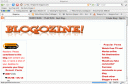
To see how widespread it wise, I decided to click on some links at at Problogger. I snapped these shots while pages were still loading. Voila!1

Blogozineselfmademindsnetbusinessblog

Notice the content doesn’t show on two and barely shows for the other? The CSS files for these themes loads the content (or background for the content) after the ads, navigation and whatnot. I guess if Darren himself makes this mistake, it’s not surprising others do too. (I’m also beginning to think the blogger default template suffers from “content-loads-last”. Advice to blogger: fix that!)

Interestingly, on of the three bloggers describes himself this way at Problogger?

Hello everyone, I’m Matt from NetBusinessBlog.com. I’ve been doing web design and development for the last 7 years but have just recently started blogging.

I’m betting Matt has a high speed internet connection.

HealthBolt Here’s another example of the “content loads last” blooper I found at Health bolt. I broke that image from the pack because Healthbolts’ blooper is probably not the individual blogger’s fault. It’s caused by b5media.

Advice to b5media: Find a way to let your bloggers’ content load first.

My blog design?

I’ll admit my blog design isn’t perfect; I’m not even sure it’s good.

I set up Big Bucks Blogger two and a half months ago. At that time I decided to concentrate on content before finalizing the design; I spent no more than 3 hours finding a free stater template. When selecting template I made sure that a) the content would appear “above the fold” and b) the content loaded before the sidebars!

In my opinion, these two rules should never be violated by any template.

I’m checking other blogs designs because I plan to modify this one and I want to see what’s out there. If you see big bloopers — or even small bloopers- in my template, please let me know. Then I can fix them.


1. Blooper pages found at
blogozine, selfmademinds.com and Net Business Blog