Uncategorized: New
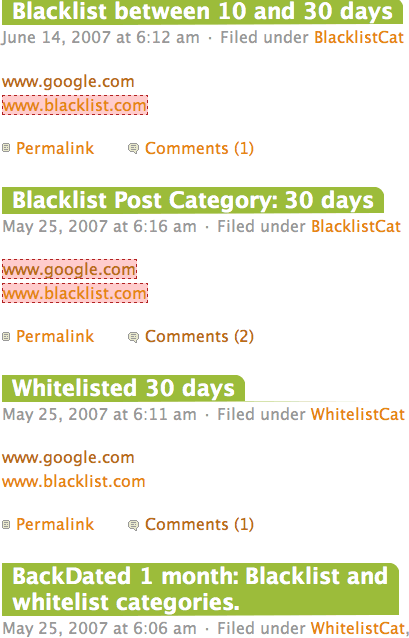 This is a test of the NoSpamLinks Plugin.
“www.blacklist.com” has been placed in the domain blacklist. “BlacklistCat” is the post category blacklist with number of days set to 30. “WhitelistCat” is the post category white list.
- www.blacklist.com will generally show “nofollow” in both posts and comments when a post is more than 10 days old. (Only the post date matters.)
- However if the post is in the “WhitelistCat”, www.blacklist.com will always follow in the post. In comments, www.blacklist.com will no follow if more than 10 days old. (Use this for link exchanges so you never accidentally go back on your word at a later date.)
- If the post is in “BlacklistCat”, all links — including google.com- will nofollow in the post. This is useful for sponsored posts with agreed on times. You can give advertisers what they pay for, but stop giving no follows when the contract obligation is up.
What about comments? The NoOldSpamLinks plugin never creates “dofollow” in comments. To create “dofollow” you need a separate dofollow plugin. The only thing the NoOldSpamLinks plugin does to comments is re-insert “nofollow” previously stripped by a dofollow plugin the blogger may be using. So:
- If the blogger is not using a dofollow plugin, the links in Wordpress will “nofollow”.
- If the blogger using a dofollow plugin, the dofollow plugin should run first. The dofollow will apply its rules and strip “follows” in urls in comments or comment author links. This action has nothing to do with the NoOldSpamLinks Plugin. So, you need to know what your